warehouse-management-systems-socius24-logo-whitered

NEWS

Keep up to date with our regular news posts.

socius24-fav-white

“Our Implementation was as close to painless as it was possible to get. We couldn’t have done it without Socius24.”

– Smart Garden Products

“By upgrading to the latest version of Dispatcher WMS we have been able to fully leverage the power and flexibility of this platform … and ensure we deliver the best possible service in a highly efficient manner.”

– Versteijnen

When it comes to a WMS update, readiness is only half the story. Even the best-chosen WMS can struggle to deliver its full potential if the implementation itself goes wrong. This is what could have been done differently.
Read more

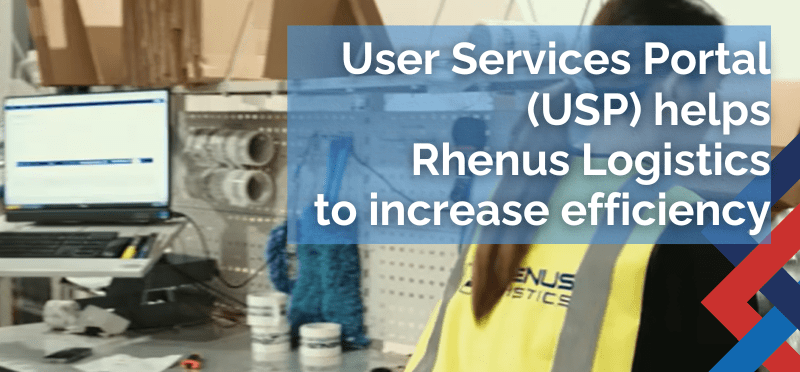
We are delighted to be able to support ERIKS UK & Ireland as they use Dispatcher WMS and User Services Portal (USP) in their operations with the British Armed Services.
Read more

It used to be standard, but these days, waiting months for software enhancements for your WMS just isn’t practical. Customer demands change overnight, and operational challenges crop up just as quickly. Which is where microservices come in.
Read more
If you're a warehouse manager who has never worked with a Warehouse Management System (WMS) before, and you are wondering if it's the right thing for your warehouse, this series is for you.
Read more
Knowing what a WMS does is only part of the picture. The bigger question: How do you know when it’s actually time to implement one… instead of upgrading the system you already have? Read our guide to find out.
Read more
When warehouse managers and operational leaders start thinking about a new WMS, one of the first questions that comes up is how it’s going to integrate with the systems they already use. The good news is that a modern Warehouse Management System like Dispatcher WMS doesn’t have to work in
Read more
It’s hardly a surprise when warehouse managers and operations leaders get overwhelmed by the barrage of technology terms than can be thrown around in meetings and vendor discussions. ERP, WMS, Inventory Management System, TMS ...
Read more
WMS is software that’s designed to manage, control, and optimise everything that happens inside your warehouse. It’s not just a fancier version of an inventory tracker or a glorified stock list. But rather, it integrates your receiving, putaway, picking, packing, and shipping processes into one central system.
Read more
Saving energy isn’t only about helping the environment – it can help you reduce your warehouse expenses as well. Here are our top ten tips and quick wins for reducing your carbon footprint and help you to save money at the same time.
Read more
Twelve months ago, Socius24 achieved its Cyber Essentials Plus certification. A lot has happened in those 12 months. Major software vendors, high street retailers, and government institutions have all been hacked and attacked. This is our response.
Read more

Interested in a free demonstration of Blue Yonder Dispatcher WMS?

Socius24. Warehouse Management Software Solutions

warehouse-management-software-solutions-socius24

In earlier articles in our All About WMS series, we looked at what a WMS actually does, how to calculate the ROI of a WMS for investment purposes, and how to tell when you’re really ready for one

But readiness is only half the story. Even the best-chosen WMS can struggle to deliver its full potential if the implementation itself goes wrong. Over the many (many) years we’ve worked with warehouses of all sizes, we’ve seen things go wrong, and more importantly, we can tell you what could have been done differently.

WMS Implementation Mistake Number One

One of the most frequent mistakes is approaching WMS implementation as purely a technology project. And while correct software configuration and integration are vital, the bigger challenge is usually operational change. A WMS will almost always alter workflows, team responsibilities, and performance expectations. Because, frankly, if you just want to carry on doing what you’ve always done, why get one at all? 

And if implementation is handled by IT alone, with limited operational involvement, warehouses can end up with a system that ticks all of the technical boxes but doesn’t fit real-world needs. The most successful projects we’ve seen are those where operations lead the conversation, and where they get to shape how the system is configured, so that it supports the people on the warehouse floor.

WMS Implementation Mistake Number two

Another area where projects run into difficulty is treating processes as sacred. It’s easy to think, “We’ve always done it this way, so let’s get the WMS to match.” But the real value of a WMS comes when you’re willing to challenge those ingrained processes. For example, your current picking routes or replenishment triggers might have evolved from past limitations e.g. limited stock visibility, paper-based systems, or staffing constraints – rather than being an optimal design. 

A WMS gives you the opportunity to reimagine everything. If you don’t take that opportunity, you risk embedding outdated thinking into your brand-new system. Plus… without wishing to blow our own trumpet (too hard) we do this all the time; it’s our job. We see a lot of warehouses, and we optimise them all. While doing that, we learn a lot of different techniques. And it’s possible we could show you an easier, faster, more efficient way to do things – if you’ll let us, that is.

WMS Implementation Mistake Number three

Data preparation is another important topic, but during implementation, it becomes even more critical. Beyond basic SKU and location accuracy, you’ll need to think about units of measure, case pack quantities, pack configuration data, and supplier information. Check your data, because rubbish in = rubbish out. Mismatches here often show up only after go-live, when pickers realise that system instructions don’t reflect physical reality, and that leads to even more frustration and delays – on top of the stress of a Go-Live. Investing the time needed to clean and standardise your operational data before configuration is never wasted.

WMS Implementation Mistake Number four

Change management is often considered to be a corporate buzzword, but in warehouse environments, it’s a very human reality. Operators and supervisors are under daily pressure to keep things moving. If you present them with a new system without also giving them clarity on how it makes their job easier or safer, you’ll encounter silent pushback. Sometimes it’s a reluctance to use handhelds, sometimes, it’s ignoring process steps to “just get it done.” 

Early and ongoing communication, practical hands-on training, and visible support from warehouse leadership make a significant difference to adoption rates. When people feel heard and equipped, then you’ll naturally build their confidence in the new WMS. Because – some real talk, here – you can only get an ROI from your new WMS if your people are actually using it.

WMS Implementation Mistake Number five

Integration planning is another area that can trip projects up. It’s rarely as simple as plugging the WMS into your ERP or carrier systems and pressing “go.” Data flows, error handling, and operational timing… they all matter. For example, if your ERP pushes pre-advice orders to the WMS too late, your receiving teams are standing about with nothing to do. If shipping integrations don’t handle exceptions properly, dispatch can grind to a halt. Strong integration planning should not only involve technical teams, but also operational walkthroughs that map out what happens at each stage and how failures will be handled in real time. “A failure to plan is a plan to fail”, and all that jazz.

WMS Implementation Mistake Number six

Testing also deserves more attention than it often receives. Many projects focus on confirming that the system works in isolation – screens load, barcodes scan, reports run etc. but testers don’t try full end-to-end scenarios. Walking through real orders, with real data, from inbound receiving to putaway, picking, packing, and shipping will shine the brutal light of truth on mismatches and oversights long before they become go-live failures. In fact, we’d go so far as to say that testing is the difference between theoretical success and practical readiness.

WMS Implementation Mistake Number seven

Lastly, there’s sometimes a rush to go-live quickly, often under budget pressure or leadership expectation. And while no implementation should drag on indefinitely, compressing timelines to meet arbitrary dates almost always results in painful stabilisation periods post go-live. Staff get frustrated, confidence erodes, and the benefits case that you’ve so carefully prepared is totally undermined. A better approach is to plan for phased rollouts or pilot areas where lessons can be learned, and processes can be refined – before scaling to the full warehouse or across multiple sites.

Implementing a WMS is transformational, but it’s also disruptive. Sorry if that’s crushed any dreams, but there it is: the truth. We’re known for being honest and down to earth, so we’re just setting the tone up front here.

In our (very long) experience, the projects that succeed are those where teams take a holistic view. They see the new WMS not just as a software switch-on, but as an opportunity to evolve operations and future-proof their business. Mistakes are avoidable when planning is honest, operational ownership is strong, and everyone is working towards the same clear vision of what success looks like In Real Life.

These are conversations worth having before any contracts are signed. We know what to look out for when it comes to problems pre-implementation, so, if you’d like to have a no-obligation chat with us about how we do things differently, we’re always available here: info@socius24.com.

If you’ve enjoyed this article, claim your free subscription to our weekly newsletter
 – The World of WMS –
for more of the same great information!

How ERIKS UK & Ireland supports the UK Armed Forces – and the tech behind it

We love helping our customers make a real impact. And ERIKS UK & Ireland’s work with the UK Armed Forces (see their post below) is a perfect example of how the right technology can contribute to something that’s much bigger that itself.

Behind the scenes at their Fulfillment Centre of Expertise, ERIKS run on Dispatcher WMS with our own User Services Portal (USP) layered on top. This combination has given ERIKS the kind of speed, accuracy and visibility that’s required to keep defence supply chains moving 24/7.

Implementation has brought:

  • Faster pick times and fulfillment
  • Almost 100% accuracy and real-time inventory data
  • Transparency for customers, suppliers and carriers alike

If you work with industries where failure (or even delay) simply isn’t an option – like defence, aerospace, or critical infrastructure – having this level of certainty is even more critical than normal.

Want to see how it could work in your world? We’ll show you what ERIKS saw when they chose Dispatcher WMS and USP: Software that can give you stability and adaptability – all at the same time. Get in touch today info@socius24.com

If you’ve enjoyed this blog, claim your free subscription to our LinkedIn weekly Newsletter
 – The World of WMS –
for more of the same great information!

Why WMS Microservices mean faster innovation for your warehouse

It used to be standard, but these days, waiting months for software enhancements for your WMS just isn’t practical. Customer demands change overnight, and operational challenges crop up just as quickly. It doesn’t matter if it’s a new SLA requirement from your biggest customer, or a requirement to integrate some new robotics… whatever gets thrown at you, your systems need to keep up if you’re going to stay competitive.

Which is where microservices come in. No longer just a technical buzzword, they’re actually a powerful game changer when it comes to how quickly you can adapt, modernise, and stay ahead of the competition.

Why Speed of Innovation Matters in Warehousing

Think about the pressures you face every single day:

  • Next-day and same-day delivery expectations are fast becoming (if they aren’t already) the norm.
  • Labour shortages mean that you need rapid process automation.
  • Increased complexity from even more SKUs, complex returns management, and omnichannel demands.

A warehouse management system that takes months to roll out enhancements is going to add even more layers of complexity. You need a workhorse (Dispatcher WMS), PLUS something that can evolve as quickly as your operation does – adding new features, refining processes, and supporting growth without slowing everything else down.

How Microservices offer faster deployment

Traditionally, warehouse management systems have been built as one large application. This meant that making a change to any part of it required extensive testing and coordinated releases to avoid breaking the whole system. It’s why enhancements are typically bundled into major releases, but that way of working can delay fixes and new features for months.

Microservices have turned that approach upside down:

  • Independent modules: e.g. Socius24’s User Services Portal, eBilling – and our new Mobile application – have all been developed as individual services.
  • Faster development and testing: Changes can be made to one service without affecting others, which reduces testing time.
  • Incremental releases: New features and enhancements can be rolled out in small, targeted deployments instead of waiting for full-scale upgrades.

Think of it like the way you update your smartphone. You don’t wait for a complete operating system upgrade to get new features in your individual apps. Each app updates independently as individual improvements are released. Microservices bring that kind of agility to your warehouse management system. They’re the layer between your Dispatcher WMS and the ever-changing environment that you’re trying to harness.

Real Examples from Socius24 engineering and projects

This is what it looks like in the Real World.

A recent Mobile App project: Updated cross-docking

One of our customers needed a change to the way that they received in pallets and cross-docked them. Their operations team identified a tweak that would give them a quicker way to receive multiple pallets, that could then be automatically cross docked onto a Service Provider’s vehicle. It was a small change that had a big operational impact.

Because of our microservices architecture, our engineering team scoped and developed the enhancement in a few weeks. Then, using Agile methodology, they rapidly deployed individual parts of it to a staging environment for customer testing.

As each part of the new functionality was finished, it was deployed, without having to wait for the entire system to be online before it could be used: it was released to production after approval with zero disruption to other modules – and minimal rework.

From initial request to live deployment took weeks. In a traditional monolithic system, the same change would have been queued for a future major release – possibly months away.

Business impact of faster innovation

The technical agility our engineers have is nice, and all, but this was about direct operational benefits:

Teams got new features when they needed them, which meant no more workarounds or waiting months for small but critical improvements.

Process bottlenecks were resolved faster, which meant that improvements designed to remove daily frustrations could be deployed really quickly – driving productivity gains.

When you deploy microservices properly, you get to stay competitive – because Warehouses that can deploy rapidly evolving WMS solutions can stay ahead of their competitors – who are still waiting for their next software upgrade window.

Ready to see it in action?

If you want to see how microservices-enabled enhancements could transform your warehouse operations, get in touch now: info@socius24.com

If you’ve enjoyed this blog, claim your free subscription to our LinkedIn weekly Newsletter
 – The World of WMS –
for more of the same great information!

All About WMS

If you’re a warehouse manager who has never worked with a Warehouse Management System (WMS) before, and you are wondering if it’s the right thing for your warehouse, this series is for you.

PART ONE – What is a WMS, and what does it Do?

WMS is software designed to manage, control, and optimise everything that happens inside your warehouse. It’s not just a fancier version of an inventory tracker or a glorified stock list. Watch the overview video, and then read the in-depth article to find out what it can do for you.

Read More…

PART TWO – The difference between WMS, ERP, Inventory Management Systems, and TMS

Click on the video for a short overview, and then click here to read all about the differences between Warehouse Management Systems (WMS), Enterprise Resource Planning (ERP), Inventory Management Systems, and Transport Management Systems (TMS) – and how they work together in the Supply Chain.

Read More…

PART THREE – How Dispatcher WMS integrates with your existing systems

When people start thinking about a new WMS, one of the first questions that comes up is how it’s going to integrate with the systems they already use. A a modern Warehouse Management System like Dispatcher WMS doesn’t have to work in isolation (although it can – and sometimes does). Instead, it’ll sit at the heart of your warehouse operations and connect outwards.

Read More…

PART FOUR – How to know when you’re ready for a New WMS

Knowing what a WMS does is only part of the picture. The bigger question many warehouse managers grapple with is this: How do you know when it’s actually time to implement one… instead of upgrading the system you already have? Read our guide to find out.

Read More…

PART Five – What to expect during a WMS implementation

What happens once the decision to implement has been made. What do you do first? Who needs to be involved? How long does it all take? Read our guide to find out.

Read More…

PART Six – Common WMS Implementation Mistakes

When it comes to implementation of new software, readiness is only half the story. Even the best-chosen WMS can struggle to deliver its full potential if the implementation itself goes wrong. Over the many (many) years we’ve worked with warehouses of all sizes, we’ve seen things go wrong, and more importantly, we can tell you what could have been done differently.

Read our guide to find out.

Read More…

PART Seven – How to calculate the ROI of a WMS implementation

People don’t tend to wake up one morning and decide to deploy a new WMS over their cornflakes. Choosing to implement a Warehouse Management System (WMS) is usually a decision that grows over time. Good ones aren’t cheap, and implementing a WMS properly requires time, budget, and the trust that what you’re putting in place is going to deliver genuine operational improvements. The challenge, of course, is proving all of the above, and knowing what’s worth the investment… before the investment has been made.

Read our guide to find out.

Read More…

If you’ve read our previous article that explains what exactly a Warehouse Management System (WMS) is and what it does, you’ll already understand that a WMS brings structure, efficiency, and real-time visibility to your operation. But knowing what a WMS does is only part of the picture. The bigger question many warehouse managers grapple with is this: How do you know when it’s actually time to implement one… instead of upgrading the system you already have?

The reality is that most warehouse managers don’t wake up one morning and decide that today is WMS day. The need builds gradually. Processes that used to feel doable start to creak under pressure. Staff become stretched. Workarounds multiply, and people start to get creative to try and compensate for the lack of structured support. Often, it’s not until errors become frequent or customer satisfaction starts to slide that managers start to seriously explore solutions.

In our experience, waiting until your operation is in crisis really isn’t the best approach.

Taking action proactively gives you the time and space that you need to choose the right system for your operation. It means that you can plan an effective implementation and avoid the kind of rushed decisions that you take under stress. So, how can you tell if you’re at that point?

Your WMS readiness checklist

Here are some real-world indicators that are telling your that your warehouse is ready… or overdue, for a (new) WMS:

  1. You can’t confidently promise delivery dates. If you find yourself hesitating before giving customers a delivery commitment because you’re not quite sure what’s in stock or how quickly it can be picked and shipped.
  2. Your inventory accuracy isn’t above 99%. Best-in-class operations maintain extremely high stock accuracy. Most of our Dispatcher WMS customers report almost 100% inventory accuracy. If your counts often differ from system records, or they cause backorders, missed picks, or lost sales, a WMS is going to transform your operations.
  3. Your picking productivity has plateaued. If your pick rates haven’t improved despite taking on experienced staff or rearranging location zones, you might have squeezed everything that you can from manual optimisation. A WMS offers you real-time algorithmic route planning and workload balancing – something what will drive real gains.
  4. Customer complaints are up, even though your team is working harder than ever. When this happens, typically, it’s because your customers are reflecting back inefficiencies and errors in underlying processes. A WMS standardises your workflows and validates each step that inventory takes through your warehouse – minimising mistakes.
  5. You’re reliant on spreadsheets and key staff to manage daily operations. If much of your operational knowledge sits in someone’s head or on their laptop, your business is at risk. A WMS captures and centralises this knowledge to build resilience.
  6. Space feels tight, and head office is talking about expansion, but you’re not sure if that’s what you really need. Without putaway/slotting analytics and space optimisation tools, it’s not possible to know if you’re really at capacity or if you’re just using space inefficiently. A WMS can often unlock significant hidden capacity before you invest in new racking or facilities.
  7. You’re planning automation, integration, or multi-channel fulfilment. It could be conveyor systems, pick-to-light, robotics, or your sales department expanding into eCommerce channels, whatever is it, a WMS is essential for coordinating technologies and processes in a cohesive manner.
  8. Your current WMS/Paper-based system feels outdated or unsupported. If your existing system can’t handle modern requirements – things like cloud access, real-time integrations, or advanced picking strategies, or if vendor support is ending, it’s time to plan for replacement before that system starts to contribute to operational risk.
  9. Reporting is slow, manual, or lacks actionable insights. If you’re spending hours collating data to answer simple performance questions, then your current system isn’t supporting data-driven decision-making effectively. Modern WMS solutions give your configurable dashboards, KPIs, and analytics at your fingertips.
  10. Peak periods cause chaos. Most people have to deal with seasonal surges, but some warehouses also have to factor in promotion spikes, and Black Friday madness. If your operation feels like it’s barely coping, or if you’ve got errors, overtime, and morale issues piling up, then a WMS can offer you the structured scalability that you need to handle peaks confidently. And it can give you the historical data you need to plan for next year, too.
  11. Growth is on the horizon. Finally, if your business wants to grow – new customers, products, or locations – a modern WMS is the kind of foundation that lets you scale without operational headaches that are currently dragging performance down.

Moving forward 

If reading through this checklist feels uncomfortably familiar, you’re not on your own. Many warehouse managers reach this point and feel absolutely overwhelmed at the thought of choosing, implementing, and justifying a WMS project. But remember – being ready doesn’t mean you have to act tomorrow. It does, however, mean that it’s time to start the conversation, gather information, and map out what success would look like for your operation.

The best decisions come from understanding your current pain points and then using that awareness to define where you want your warehouse to be in the next three to five years. The next job is to find a WMS partner who can guide you there with clarity and confidence.

If you’re ready to explore practical next steps, we’re here to help you navigate that journey. And due to our rather straightforward character, we’ll do it without jargon, pressure, or guesswork. We’re proud to tell you that we’re very steady hands, we’ve been doing this a long, long time, but we’ll leave the final word to our customers. You can read our case studies here, or, if you already know you’d like a more personal conversation, you can email us now: info@socius24.com

If you’ve enjoyed this article, claim your free subscription to our weekly Newsletter
 – The World of WMS –
for more of the same great information!

When warehouse managers and operational leaders start thinking about a new WMS, one of the first questions that comes up is how it’s going to integrate with the systems they already use. It’s a valid concern. These days, the last thing any business needs is yet another standalone application sitting around creating data silos.

The good news is that a modern Warehouse Management System like Dispatcher WMS doesn’t have to work in isolation (although it can – and sometimes does). Instead, it’ll sit at the heart of your warehouse operations and connect outwards to form part of your wider operational ecosystem.

ERP

The most obvious integration point is with your Enterprise Resource Planning (ERP) system. The ERP holds your customer orders, purchase orders, supplier data, and financial records. Your WMS needs access to this information in order to be able to operate effectively. For example, when a purchase order is created in the ERP, the WMS receives the data so inbound teams can receive goods against it, and then it finds somewhere suitable to put them away. Maybe the inventory is on backorder – in which case pallets might be cross docked to fulfil a waiting order. Maybe the system will have been configured to check if what’s received is now considered fast-moving inventory and allocate an easily accessed putaway place accordingly.

Likewise, when customer orders are released, the WMS manages picking, packing, and shipping, plus any kitting, or repacking, or other more complex warehouse operations, then sends updates back to the ERP to confirm despatch and adjust inventory levels.

These integrations are typically real-time or near real-time, which means that data consistency and operational visibility are available across departments. Sales and finance teams see the same stock levels and order statuses that the warehouse sees, taking away the gaps and delays that can cause confusion and miscommunication.

TMS

Beyond ERP integration, many warehouses now rely on a TMS – Transport Management System – to manage their outbound shipments. The WMS and TMS often work hand in hand. Once orders are picked and packed, the WMS passes shipment data to the TMS for carrier selection, and transport booking. In some operations, inbound transportation is managed by the TMS as well, where it sends the WMS expected arrival times so that it can plan dock scheduling and labour allocation more effectively.

Automation

Automation technologies bring yet another layer to the integration picture. You could be using conveyor systems, automated storage and retrieval systems (ASRS), pick-to-light, or mobile robots, and whatever it is that you’re using in the warehouse, your WMS will be the system directing these technologies. It tells the ASRS what to retrieve and where to deliver it, it assigns replenishment tasks to robots, and it sequences the conveyor routing to make sure that orders can move efficiently through packing and shipping. Without a WMS at the centre of all of this, automation becomes a collection of standalone tools with limited coordination. But when they’re integrated properly, they work together as part of a cohesive operational flow.

Other integrations commonly seen in warehouses might include carrier systems for parcel tracking, third-party logistics providers for shared inventory visibility, or business intelligence tools for reporting and analytics. Each connection takes away manual steps that might previously have contributed to data entry errors, while at the same time, speeding up processes that could otherwise create operational drag.

It’s worth mentioning at this point that these integrations aren’t simply technical connections. They are operational flows that have to be mapped out carefully if they’re going to be effective. For example, when should orders drop from the ERP into the WMS? All at once in the morning, or as they’re released? How will inventory adjustments flow back to finance? What happens if the TMS rejects a shipment because of an incorrect weight data from the WMS? Each individual scenario impacts day-to-day processes, so implementing them isn’t just about linking up the systems and walking away. They have to be designed to interact in a way that supports real people doing real work.

Choosing a WMS is never just about software features. Much more importantly, it’s about how well it integrates with your existing systems to become part of a reliable, responsive operational ecosystem. Done properly, and with a seasoned WMS like Dispatcher WMS (which has already been integrated with many examples of the above systems over the years), integration can build confidence, accuracy, and speed.

If you’re considering a new WMS and wondering how it would fit with your current ERP, TMS, or automation technologies, we’re always happy to talk about what effective integration looks like, and how it can unlock the real value of your systems working together. Get in touch today for a no-obligation chat: info@socius24.com

If you’ve enjoyed this article, claim your free subscription to our weekly Newsletter
 – The World of WMS –
for more of the same great information!

It’s hardly a surprise when warehouse managers and operations leaders get overwhelmed by the barrage of technology terms than can be thrown around in meetings and vendor discussions. ERP, WMS, Inventory Management System, TMS – each acronym seems to promise even better efficiency and even more control, but it’s rarely obvious where one system ends and another begins.

Understanding what these systems actually do, how they overlap, and where they differ is hugely important when it comes to making confident technology decisions that will genuinely support your operation.

Enterprise Resource Planning (ERP)

Let’s start with the ERP. Enterprise Resource Planning systems sit at the heart of most modern warehouse-related businesses. They combine finance, purchasing, sales orders, customer data, and supplier records into one system that records everything. Some ERPs include basic warehouse and inventory modules, but these are generally focused on maintaining stock levels from a transactional perspective rather than optimising operational processes. You might record that 200 units of a product are in the warehouse and mark orders as fulfilled, but the ERP itself won’t be able to direct a picker to the most efficient route or assign putaway based on velocity or zone rules. An ERP is great for maintaining an overall picture, but it’s not a tool that can be used to fine tune warehouse operations.

Warehouse Management System (WMS)

Which is where a WMS – Warehouse Management System – comes into its own. A WMS (like for example, Dispatcher WMS) is purpose-built to manage warehouse operations day to day. It goes far beyond tracking inventory quantities, instead orchestrating the entire flow of goods through pre-receiving, receiving, putaway, replenishment, picking, packing, and shipping. And if you deploy a modern WMS like Dispatcher WMS, that’s really just the top level of functionality it can offer you. It integrates with your ERP to update financial records and order statuses, but the WMS itself handles operational execution at a level of detail and with the kind of sophistication that an ERP wasn’t designed for. For example, it manages wave picking strategies, generates optimal pick paths (and can even dynamically select ideal putaway locations for your fastest moving stock) to reduce travel time, and it validates the inventory’s journey through the warehouse via barcode scanning to minimise errors.

Inventory Management System

Inventory Management Systems are often confused with WMS because they also “manage stock.” The difference is in their scope and the functionality that they offer. Inventory Management Systems focus on maintaining accurate counts, recording stock movements, and supporting basic order fulfilment. They’re fine for simpler retail or eCommerce businesses where goods are picked directly from shelves without the need for complex warehouse workflows. They generally lack advanced features, and while a system like Dispatcher WMS can easily scale, Inventory Management Systems are limited. In fact, many of the systems we replace with Dispatcher WMS are Inventory Management Systems that have been outgrown, have throttled a business’ growth and need to be replaced in order for the business to expand.

Transport Management System (TMS)

Then there’s the TMS – Transport Management System. ERPs, WMS, and Inventory Management Systems are relevant to operations within the four walls of your business, whereas a TMS focuses on moving goods outside of them. It manages outbound (and sometimes inbound) transportation, and helps to plan, execute, and optimise shipments. A TMS selects the best carrier for each load, consolidates shipments to reduce costs, manages freight rates, and provides visibility over goods while they are in transit. For warehouses shipping large volumes or using multiple carriers, a TMS makes sure that the efficiency gains made within the warehouse aren’t lost after orders have left the dock.

And there are many other microservices that can play a part to optimise each part of the journey.

Where it gets confusing is that these systems often integrate with each other. For example, a WMS manages picking and packing, then passes order and parcel data on to the TMS for shipment tracking. The TMS might then update the ERP with freight charges and delivery confirmations. Vendors sometimes market their solutions as covering multiple functions, but true depth in each area is rare.

Why does understanding these differences matter? Because choosing the wrong system causes operational headaches. Relying solely on an ERP’s basic warehouse module in a fast-moving operation will lead to bottlenecks, errors, and frustrated staff. Equally, implementing a full WMS when your processes are simple and your main challenge is transport planning means that you’ve likely wasted your budget. Confusing an Inventory Management System for a WMS often leads to disappointment when promised operational improvements don’t materialise. And overlooking the role of a TMS leaves your transport operation fragmented, with manual processes and avoidable costs and delays.

It comes down to matching the system to your current and future operational needs, and that takes experience and a deep knowledge of the supply chain industry.

However, as a very high-level overview, if your warehouse is growing in complexity, with multiple picking strategies, zone-based storage, and a requirement to improve efficiency, a WMS like Dispatcher WMS will give you the operational backbone that you need. If your challenge is managing transport costs and improving visibility from dispatch to delivery, a TMS becomes non-negotiable. If your operations are going to remain simple, an Inventory Management System integrated into your ERP might be OK – but it’s important to be realistic about what each tool can and can’t do for you.

Taking some time at this stage to work out what it is you really need (and asking the experts) protects your investment, helps to build operational confidence, and will put your business in a position where it can grow without technology limitations getting in the way.

If you’re currently assessing whether to implement or upgrade your WMS, integrate a TMS, or optimise your existing ERP and inventory tools, we’d be happy to discuss what makes the most sense for your operation. Get in touch for a no-obligation chat: info@socius24.com

If you’ve enjoyed this article, claim your free subscription to our weekly Newsletter
 – The World of WMS –
for more of the same great information!

What exactly is a Warehouse Management System (WMS)? And what can it do for you?

If you’re like most warehouse managers we talk to, you’re probably under constant pressure. You’ve got to deliver faster, minimise errors, and all the while, handle growing order volumes (coming in from multi-channels) without adding more staff or paying for more overtime. You might be finding that your spreadsheets, manual counts, and paper pick lists just aren’t keeping up anymore. And you’ve probably heard that a Warehouse Management System (WMS) could help you solve these problems. But you’re wondering what exactly is a WMS, and what could it really do for your warehouse?

What, exactly, is a WMS?

At its simplest, a WMS is software that’s designed to manage, control, and optimise everything that happens inside your warehouse. It’s not just a fancier version of an inventory tracker or a glorified stock list. But rather, it integrates your receiving, putaway, picking, packing, and shipping processes into one central system, giving you real-time visibility of everything that’s happening on the floor, at the dock, and in every rack location. It tells you what’s coming into your warehouse, so you can check that you’re receiving what you’re supposed to be receiving, and then it tracks your inventory, down to the item, through your warehouse until it’s shipped out.

With a WMS like Dispatcher WMS, you know what you’ve got, where it is, what state it’s in, where it’s going next and exactly how much of it there is available. And that’s just the start.

Receiving

Instead of manually checking off received goods against a paper delivery note and then deciding where to put them, a WMS can automate your entire receiving process. As items are scanned in, the system confirms what’s arrived, it flags any discrepancies, and then instantly recommends the best putaway location based on space availability, picking velocity, and a ton of other rules that you get to configure to exactly suit your particular operation. Your team no longer has to walk the aisles trying to find a suitable slot to fit whatever has just been received; the WMS guides them to the ideal spot.

Picking

This guidance continues when it comes to picking orders. Rather than handing your staff a paper list that has them zigzagging inefficiently around the warehouse, the WMS calculates optimal picking routes and recommends processes that reduce travel time and increase productivity. It doesn’t matter if you’re using single order picking, batch picking, or wave picking (or more), the system makes sure that each one of your operators follows the fastest, most logical path. Which helps to minimise MHE bottlenecks and preserve your team’s energy.

Packing and Shipping

Packing and shipping are streamlined, and as soon as items are picked and moved to packing stations, the WMS makes sure that every order is verified for accuracy before it goes out of the shipping dock door. Integrated carrier labelling, if you want it configured, can print shipping labels automatically, saving you even more time and eliminating manual entry errors that create delivery delays and ramp up customer complaints.

Real-Time Data

Perhaps one of the greatest hidden benefits of a WMS is the insight that it gives you. Because every single one of your warehouse activities flows through the system, and is recorded in real-time. Which means that it can give you powerful reporting and analytics. You can see where your team is spending the most time, identify slow-moving stock that’s tying up space, see what you need to pick before it goes out of date, measure order turnaround times, and make data-driven decisions that will improve performance day after day after day. It takes away the guesswork and it gives you the kind of confidence you need to plan everything from labour allocation to future capacity expansion.

Common signs that you need a WMS

If you’re wondering whether now is the right time for your operation to move to a WMS, have a read of these common signs. Some warehouse managers call us when they notice frequent picking errors, or start hearing more and more customer complaints about wrong or delayed orders, or sometimes, it’s when they realise they won’t be able to scale unless they add more people. Others are prompted by the need to facilitate growth – perhaps you’re adding eCommerce channels or more SKU ranges – and you’ve realised that your current manual processes simply won’t keep pace.

Start Small

One thing that often holds warehouses back is the belief that a WMS is only for giant distribution centres with conveyor belts and automated robots. And while that might have been true thirty years ago, today’s cloud-based WMS solutions are scalable and accessible, and they fit operations of all sizes. In fact, if you’ve got more than ten warehouse workers, we can probably help you to optimise your operations.

Keep it simple

Another hesitation is implementation complexity. And while it’s true that a WMS isn’t plug-and-play software, working with an experienced implementation partner like Socius24 really simplifies the process. When it’s done right, the benefits far outweigh the upfront effort, and Warehouse Management Systems we deploy quickly deliver strong returns in efficiency, accuracy, and customer satisfaction. But don’t take our word for it, have a look at our Case Studies.

WMS Readiness Checklist

If you’d like to explore whether a WMS is right for your operation, read our WMS Readiness Checklist below:

You’re struggling with stock accuracy.

If you frequently think you have stock but it’s nowhere to be found… or worse, you only realise things are out of stock when orders are missed.

Your picking errors are increasing.

Maybe your team is working harder than ever, but customer complaints about wrong items or quantities are creeping up. A WMS can give you guided, validated picking that will eliminate these errors.

You can’t keep up with growing order volumes.

If your order volumes keep rising and you’re having to add more and more people just to keep up, it means your processes aren’t scaling efficiently.

You’re expanding channels or product ranges.

Adding eCommerce fulfilment, new product lines, or more storage locations increases complexity. A WMS handles this growth easily by maintaining control and visibility.

You rely heavily on key staff for operational knowledge.

If your operation would grind to a halt without certain people who “know where everything is,” a WMS will capture and standardise that knowledge to protect your business from risk by removing information silos.

You have limited real-time visibility.

If you can’t find out, at any given moment, exactly how much of each SKU you have, where it is, and what stage an order is at, you’re flying blind. A WMS gives you all this information, and more.

Your warehouse space feels full, but productivity is still grindingly slow.

Often this indicates poor slotting, inefficient location planning, and wasted movements – all of which a WMS can optimise.

You’re planning to modernise or automate.

If automation is on your roadmap, be that handheld scanners or conveyors or robotics, a WMS is essential if you’re going to integrate and orchestrate new technologies effectively.

If you’re ticking off several of these signs, email us today for a chat about how a WMS could help you future proof your operation: info@socius24.com

If you’ve enjoyed this blog, claim your free subscription to our LinkedIn weekly Newsletter
 – The World of WMS –
for more of the same great information!

Energy Saving Tips for Warehouses

Saving energy isn’t only about helping the environment – it can help you reduce your warehouse expenses as well. Here are our top ten tips and quick wins for reducing your carbon footprint and help you to save money at the same time.

Tip 1: Run an energy audit

How energy-efficient is your warehouse… like, really?

Most businesses don’t know how much energy they’re wasting until they get a proper look at where it’s being used. This is who we used for our energy audit, and now we have a smaller carbon footprint than 99% of other WMS Providers.

Thankfully, an energy audit can help you uncover exactly where you’re burning through power. Which means you’re one step closer to working out where you can start making savings.

In our experience, quick wins are usually hiding in plain sight.

Want more ideas? Keep reading!

Tip 2: Switch to LED lighting

Lighting is one of the fastest (and easiest) energy wins in any warehouse.

Swap out your old bulbs for LEDs, add motion sensors in low-traffic areas, then sit back and watch your energy bills drop. There are some quality savings, even before you start improving productivity.

It’s simple, but it works.

Make sure to follow the Socius24 LinkedIn page if you’d like more Energy Saving Tips.

Tip 3: Smarter heating & cooling

Why are your heating (or cooling) every part of your warehouse when at least some of it probably isn’t being used all of the time?

With the right data – like, for example, the insights that Dispatcher WMS gives you, you can zone your HVAC and your heating to only come on where your workers actually are, and when they’re actually there.

Better for your budget. Better for the planet. Just saying.

If you want to find out how else you can cut energy waste, make sure you’re subscribed to the Socius24 weekly newsletter.

Tip 4: Insulation & door strategy

High-speed doors and decent insulation might not sound particularly exciting… but they could save you thousands.

Channel your inner parent and ask yourself ‘Do you live in a BARN?!’

Because every time that old warehouse door gets stuck open, your heating or cooling is escaping straight outside. Squint, and you can probably see the pound or dollar signs drifting slowly away.

It’s a small fix. But it makes a big difference.

Tip 5: Energy-efficient equipment

Still running older forklifts or pallet trucks? Yes, we know… it’s expensive to upgrade them. But stay with us here, instead of the capital costs, try to focus on the long-term savings.

For your business… and the planet.

Then, if you want to take it to the next level, pair that with smarter route planning, and you’re going to cut both fuel and electricity use. 

If you need to talk about how to get that smarter route planning, contact us now for a chat: info@socius24.com

Tip 6: Optimise movement

Every unnecessary step that your workers take in your warehouse = wasted energy, wasted time, and wasted money.

Optimised picking routes (hello, Dispatcher WMS) don’t only improve productivity. When done properly, they can reduce the amount of energy that your team and equipment use for Every Single Shift.

Efficiency isn’t always about working harder.

Tip 7: Shut down idle machines

If your machines are sitting idle, why are they still switched on? Bit of an obvious question, but sometimes the obvious things just fade into the background.

Automating shutdowns during breaks or low-activity periods is a simple way to cut down on wasted energy, and again, without impacting workflow.

Start with the low-hanging fruit.

Tip 8: Use off-peak energy

Timing matters.

Some jobs in the warehouse are time critical.

Some aren’t.

So how about (if your energy contract has cheaper off-peak rates,) you shift high-energy tasks like replenishment or batch printing to those hours instead?

With real-time visibility from Blue Yonder’s Dispatcher WMS and User Service Portal (USP) from Socius24, it’s easier than you’d think to plan around it.

Tip 9: Make sustainability part of the culture

No software (even if it’s brilliant) can replace a team that cares about saving energy.

So, how about you empower your warehouse staff to flag up waste? Teach them when and how to shut down equipment properly. And lead by example from head office, because that’s what leaders do.

Want our latest Whitepaper about how you can make energy (and cost) savings in the warehouse? Click here to access it now.

Tip 10: Use Dispatcher WMS & USP for energy awareness

You can’t fix what you can’t see. Even with the best will in the world, it’s just NOT possible. Sorry.

Dispatcher WMS, (and Socius24’s USP), gives you the kind of real-time visibility and control that you’ll need if you’re going to run a leaner, more energy-efficient warehouse.

We can help you create smarter workflows and show you how to build real-time dashboards that work for YOU.

This is the kind of tech that can help you hit both operational and sustainability targets.

Want to know how? Start here or email us at info@socius24.com – we’re always happy to chat.

FAQ

Typically, the vast majority of carbon emissions that count against your business’ carbon footprint will come from tier three emissions – which are the emissions created by the products and services that your business uses.

Since it was formed in 2013, Socius24 has been dedicated to sustainability. We’ve always been fully remote, from the very start. We’ve always been paperless, and we’ve always done what we can to minimise business travel.

This, combined, has led us to have a carbon footprint that is 99% smaller than our competitors.

We actively work to minimise our own tier 1,2 & 3 emissions so that we can minimise anything we pass on to our customers. And this has been so effective that we are now able to contribute positively to our customers carbon footprint by passing on our sustainability score.

Yes, it can. It works by optimising stock movements (reducing the energy required to move stock), minimising equipment usage, and improving space utilisation, so that you need to heat, cool or light a smaller area. And that’s just to start off with…

The return really depends on your current setup, but most businesses see savings in both time and energy costs within the first year. By removing unnecessary movement, improving stock accuracy, and reducing manual input, a good WMS (like Dispatcher WMS) can quickly pay for itself.

Yes, we can. And not just in theory. We work with companies to streamline their operations in a way that naturally reduces energy use and waste. Everything we do is about helping you run leaner, cleaner, and smarter. If that sounds like something you’d like to explore, get in touch now: info@socius24.com

Ready for what comes next?

Energy prices are unlikely to come down in the near future, and historically, they’re going to continue to increase. If you want to future-proof your business as much as possible against those costs, and against upcoming environmental legislation, now is the time to take action. We’re always happy to talk things through.

WMS Cyber Security Update:

Twelve months ago, Socius24 achieved its Cyber Essentials Plus certification.

A lot has happened in those 12 months. Major software vendors, high street retailers, and government institutions have all been hacked and attacked.

Serious consequences ensued: loss of revenue, ransoms, personal data compromised, customer trust and brand erosion.

We’ve talked before about how important it is to work with people who take their own security seriously, so that they can protect yours. But we are aware that not all WMS services providers have the same level of concern as us.

Public Service Announcement

This is our annual public service announcement to remind you that spending the time, energy and money to keep your operations running safely and securely is simply non-negotiable.

The independent auditing process that we go through yearly makes us minutely examine our own operations. And doing this brings with it the kind of knowledge that we need to keep our equipment, systems, data, and our customer’s data safe.

But possibly as important, going through the auditing process means that we can bring that know-how and security-first mindset into consideration when delivering projects.

Risks involved

Deliberately (and unlike others out there) we don’t use third party contractors on our Blue Yonder Dispatcher WMS implementations and upgrades. We’ve seen problems occur when contractors use their own equipment to access client and customer data. In many cases, they’re not even aware of what Cyber Essentials + requirements dictate, so – we’re not pointing fingers, we know that it’s difficult keeping up when you are your own.

Difficult… but also dangerous, which is why we don’t do it.

So, if you’re looking to upgrade, update or integrate your WMS, or if you’re looking to create new software around it, please listen to us when we say that security is our priority. And… it should be yours.

Security Clearance

Socius24 as the market leading Dispatcher WMS Sales and Services Partner for Blue Yonder has once again been CE+ certified. And just FYI – we also have UK Security cleared Dispatcher WMS resources, something no other Partner in the market has.

Clearly, we think differently, we act differently, we deliver differently. We create the standard that others to try and follow. So, if you are using someone else, then maybe it’s time you asked yourself why that is.

And if you get nothing else from this – please understand that if whoever you’re working with can’t guarantee their own security, then they can’t guarantee yours either. 

If you have any questions, you can always reach us here: info@socius24.com

If you’ve found this article useful, come claim your free subscription to our LinkedIn weekly Newsletter
 – The World of WMS –
for more of the same great information!